
Booking priorities let you set a different number of visible booking days for each employee group. For example, the "sales" group can book up to 10 days ahead, while the "marketing" group can book 5 days ahead.
This lets you adjust Tidaro to the way different teams work. If some of your employees plan meetings days or even weeks ahead, you can let them book resources further in advance too.
Good to know: this feature is for administrators. Employee groups are created during account configuration and can't be created manually in the app. If you want to add or configure employee groups, contact us at support@tidaro.com.
How to check or change an employee's groups
- In the menu, go to Preferences.
- Unfold Manage employees and click Employees.
- Choose the employee you want to review.
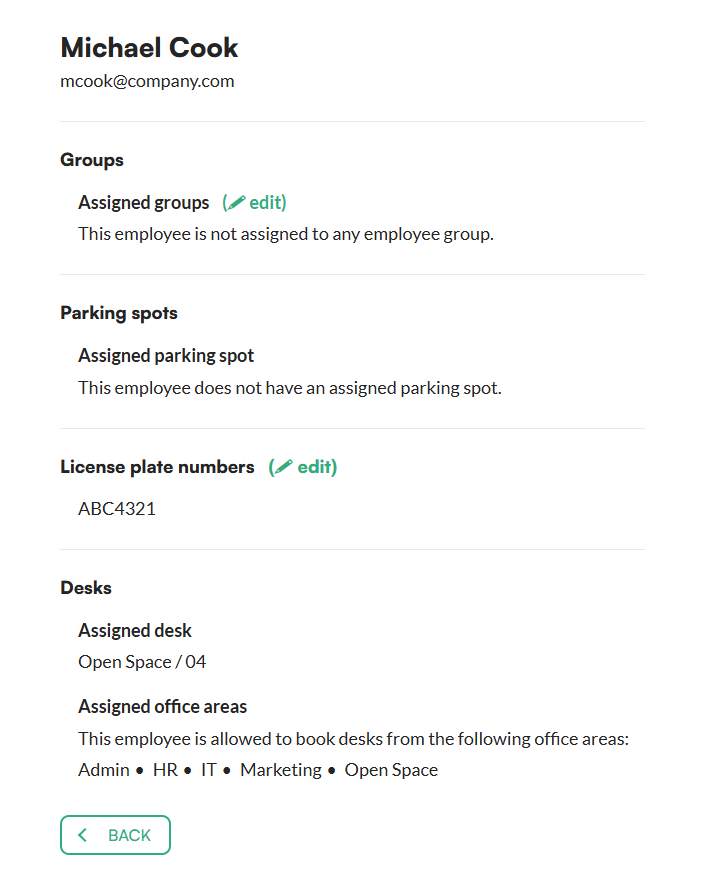
- In the employee's details, check which groups the employee belongs to. You will also see their bookings and assigned resources.
- To change the employee's groups, click Edit in the assigned groups section.
Example
You can have a group called "Drivers" for all employees who drive company cars and allow them to book 10 days in advance.