
Every desk in Tidaro has one of 3 statuses. By changing the status, you decide whether a desk can be booked and by whom.
Good to know: a desk's default status is changed by administrators.
In short
- free: everybody can book the desk in the app.
- reserved: the desk is assigned to a specific employee.
- restricted: the desk can't be booked in the app.
- You change the status in Preferences > Manage Office Areas, in the desk details.
When should I change a desk's status?
- Restrict a desk for a period of time if you want to give it to a guest visiting your office.
- If some employees need to work at specific desks, assign those desks with the reserved status. Then no one else can take them.
- Restrict desks in an area that is being renovated or is unavailable for any other reason.
- During the pandemic, our clients restricted every second desk to keep social distancing.
How to change a desk's status
- Go to the Preferences tab in the menu.
- Go to the Manage Office Areas section and select the area you want to manage.
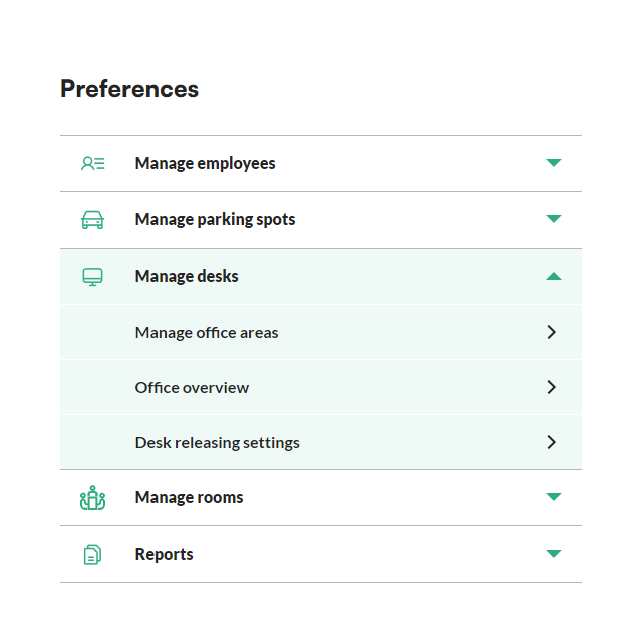
- In the list, click the desk you want to manage. The app shows the desk details.
- Click Edit next to the default status.
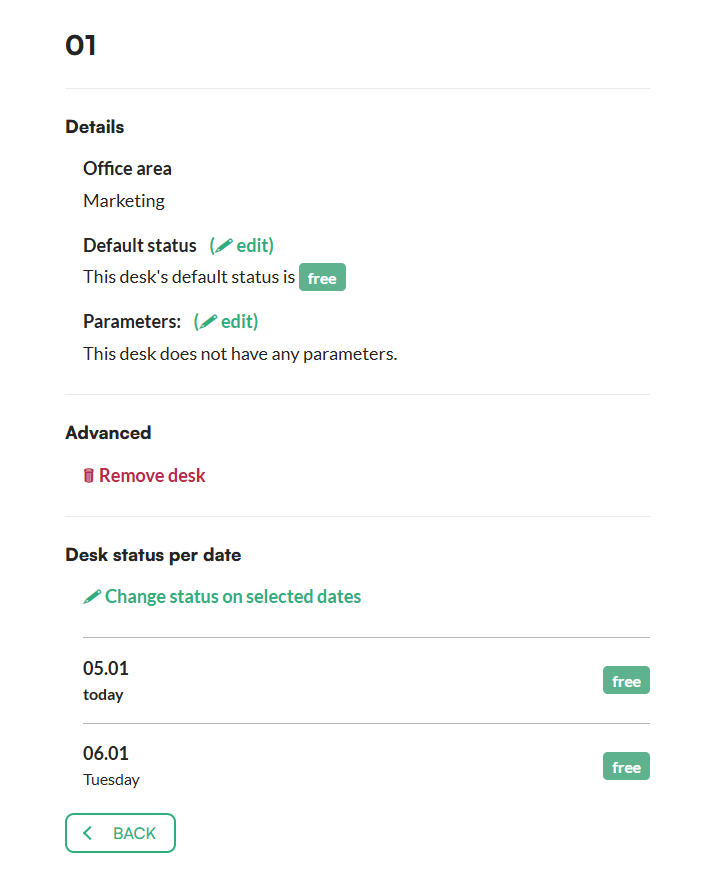
- On the next screen, click the status and select the new one.
- Confirm with the Change Status button.