
Tidaro reports give admins insight into how parking spots and desks are used: occupancy, bookings, attendance and the activity of individual employees. You can adjust each report to the period, zones and format you need.
Good to know: reports are available in the Tidaro web app.
In short
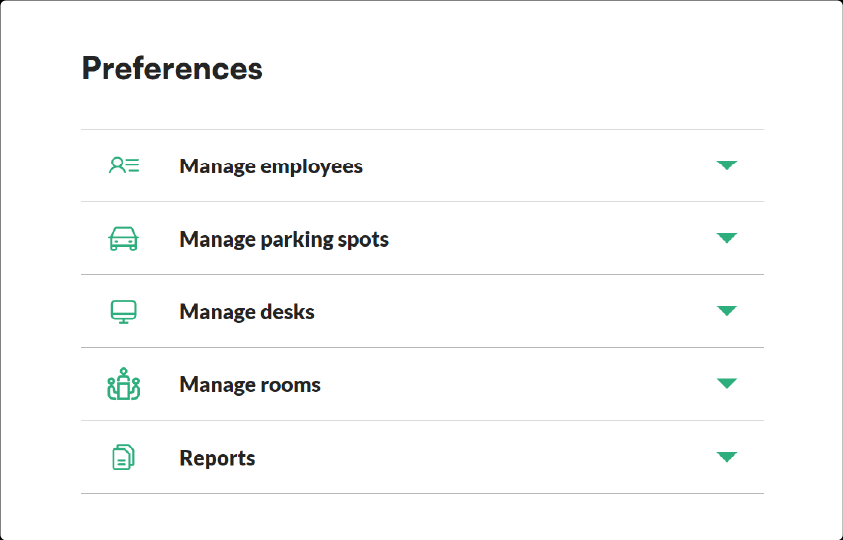
- Open reports in the web app under Preferences > Reports.
- Set the date range, include or exclude weekends and filter by zone or spot type.
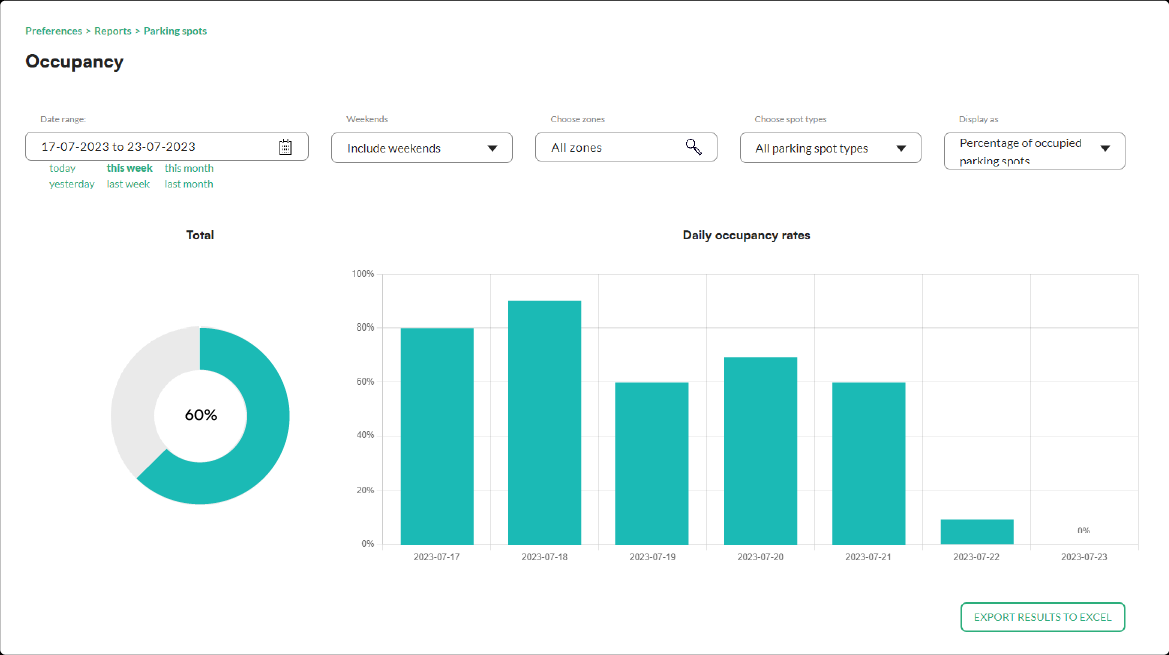
- Show the data as percentages, numbers or charts.
- There are four parking spot reports and four desk reports: occupancy, bookings, attendance and employee activity.
How to open reports
- Log in to the Tidaro web app.
- In the menu, go to Preferences.
- Expand the Reports tab.
- Choose the report you want to see.
How to customise a report
In the reports view, you can adjust these settings to get the data you need:
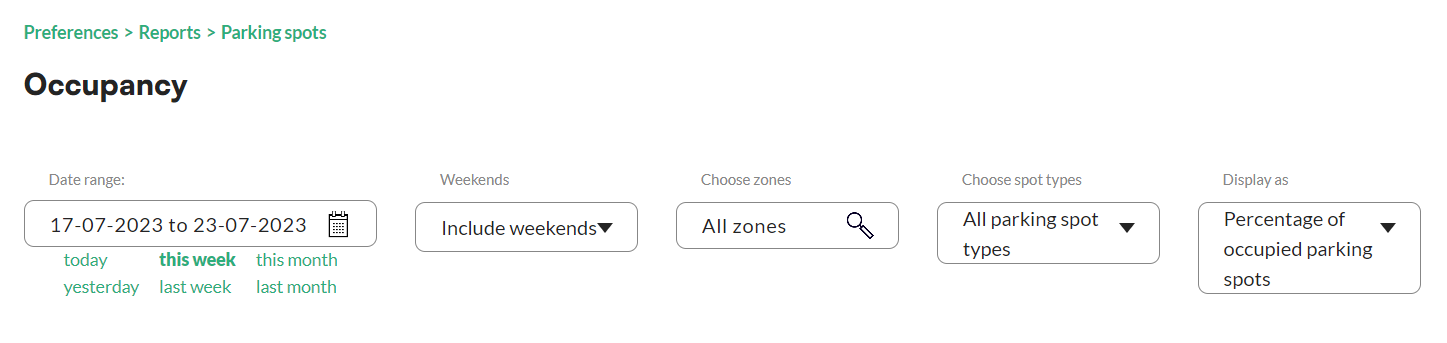
- Date range: set the period you want to analyse.
- Weekends Inclusion/Exclusion: choose whether to include or exclude weekends.
- Office/Parking Zones Filter: if your organisation has several office locations or parking zones, filter the data by zone to see each area separately.
- Spot Type Selection: for parking spot reports, include only specific spot types (for example reserved, visitor or handicapped) to focus on those categories.
- Data Display: show the data as percentages, numbers or charts.
Which parking spot reports are available?
- Parking spots occupancy report: shows the current occupancy of parking spots, with utilisation rates for each zone or spot type.
- Parking spots bookings report: shows booking patterns and trends, so you can see peak hours and changes in demand.
- Parking spot attendance report: tracks the attendance of employees using parking spots, so you can monitor usage and spot anomalies.
- Parking spots employee activity report: shows how individual employees use parking spots, helping you optimise spot allocation and identify potential issues.
Which desk reports are available?
If you also manage desks in Tidaro, you can use these reports:
- Desks Occupancy Report: shows desk occupancy in different office areas or zones, so you can find underused or overcrowded areas.
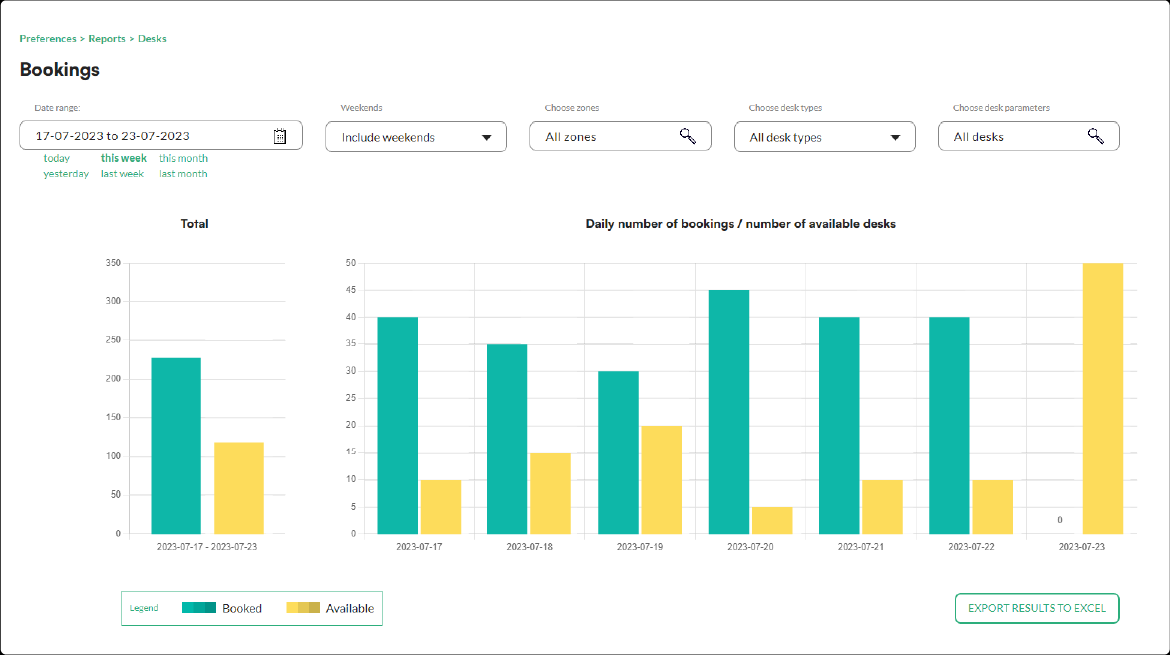
- Desks Bookings Report: gives an overview of desk bookings, so you can track booking trends and plan desk allocation based on demand.
- Desks Attendance Report: tracks the attendance of employees using desks, so you can check that desks are used efficiently and identify discrepancies.
- Desks Employee Activity Report: shows how individual employees use desks, helping you identify patterns, preferences and ways to optimise.
Frequently asked questions
Can I see data for one zone only?
Yes. Use the Office/Parking Zones Filter to show data for a specific office location or parking zone.
Can I leave weekends out of a report?
Yes. In the report settings, choose to exclude weekends.
Can I see the data as a chart?
Yes. Under Data Display, you can show the data as percentages, numbers or charts.