
Each parking spot has a status that decides who can book it. You can change a spot's default status, or change its status only on selected dates.
Good to know: this is a task for administrators.
In short
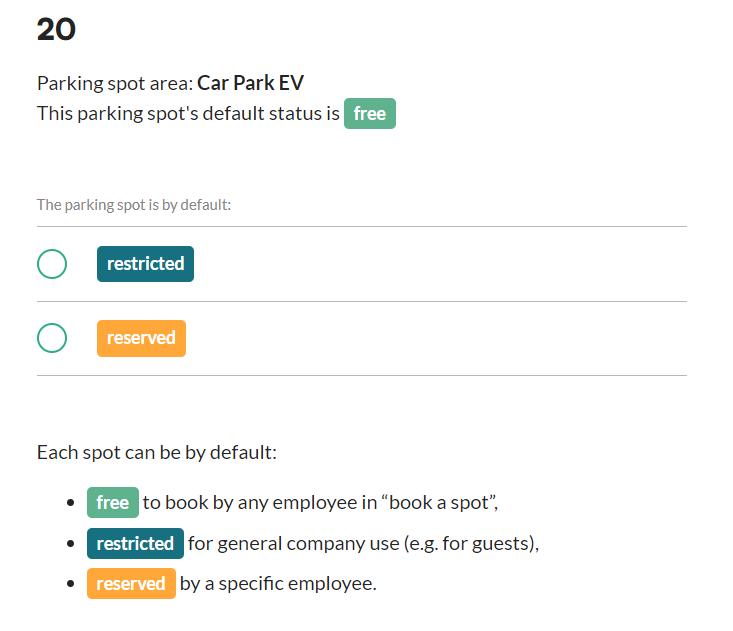
- There are three statuses: Free, Restricted and Reserved.
- Free: everyone can book the spot. Restricted: the spot is kept for office use. Reserved: the spot is reserved for one employee.
- The default status applies every day. You can override it for selected dates.
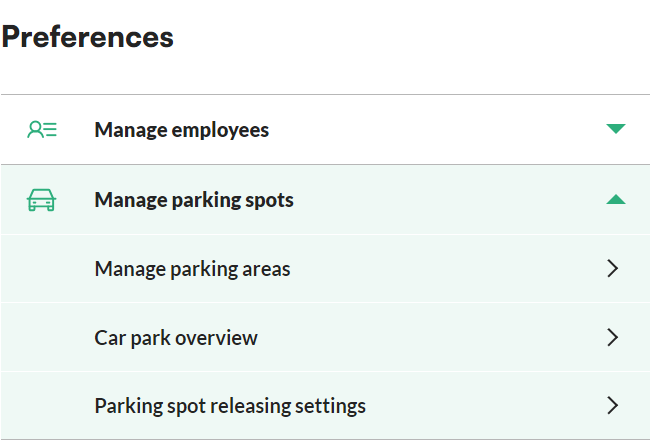
- You manage statuses in Preferences > Manage Parking Spots > Manage Parking Areas.
How to change a spot's default status
- In the main menu on the left, go to Preferences.
- Go to Manage Parking Spots > Manage Parking Areas.
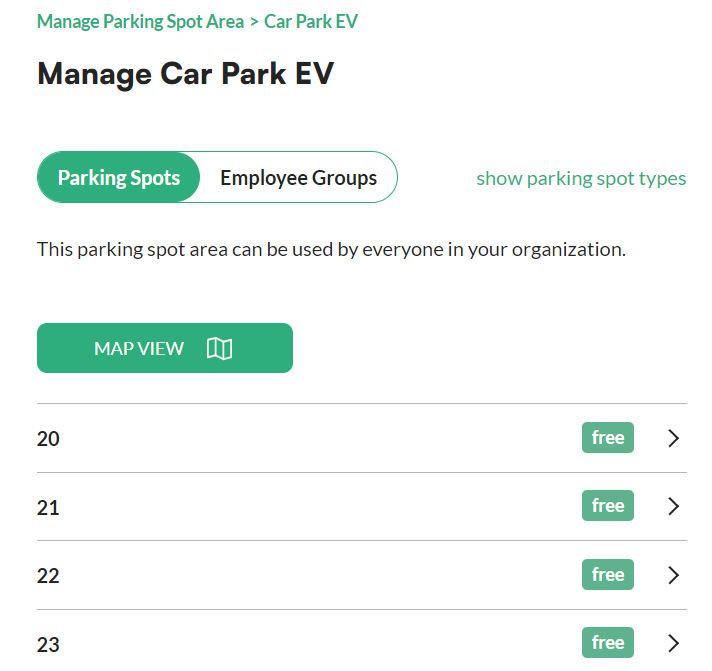
- Select the area you want to manage.
- In the list, click the parking spot you want to manage. The spot's details open.
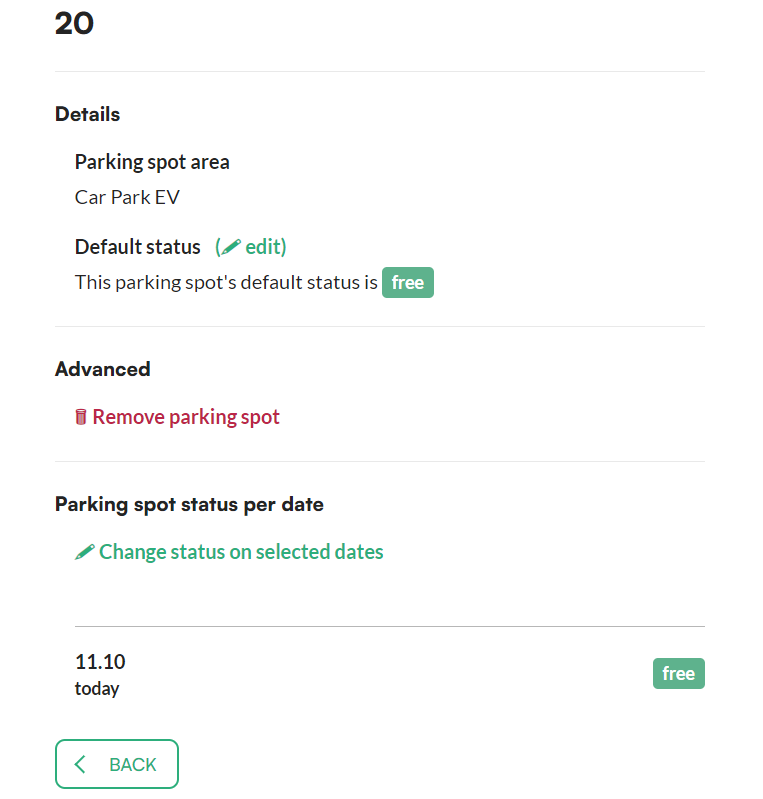
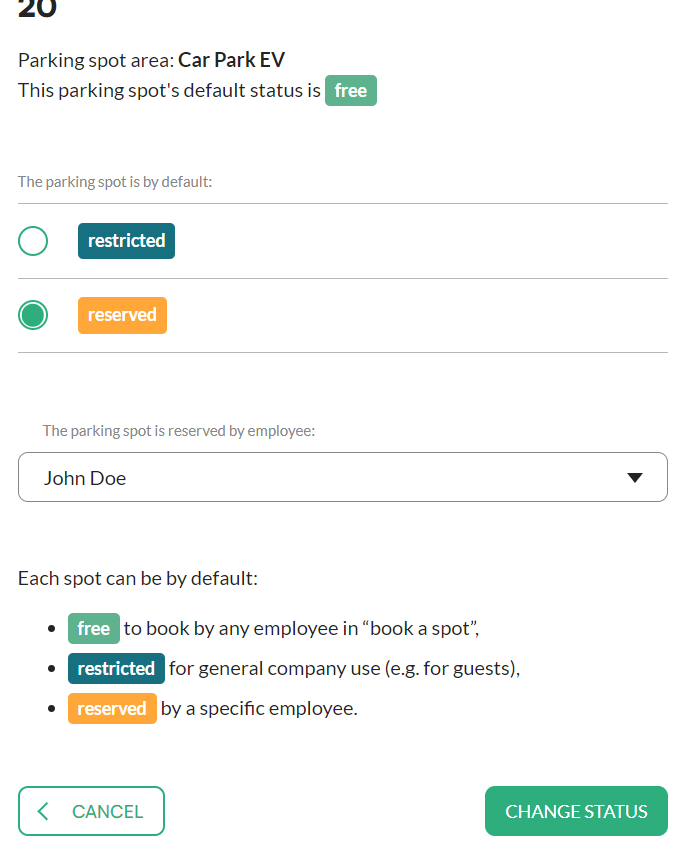
- Next to Default status, click Edit.
- Select Free, Restricted or Reserved.
- If you choose Reserved, select the employee from the dropdown. The spot will be reserved for that employee.
- Click Change status. The new status becomes the spot's default.
How to change a spot's status on selected dates
You can also change a spot's status only for a limited time.
- Open the spot's details as described above.
- Click Change status on selected dates.
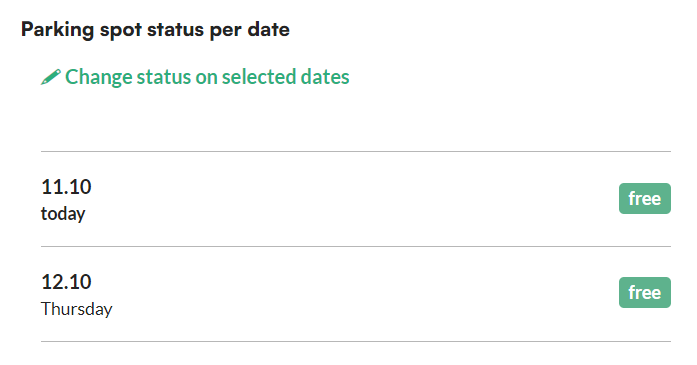
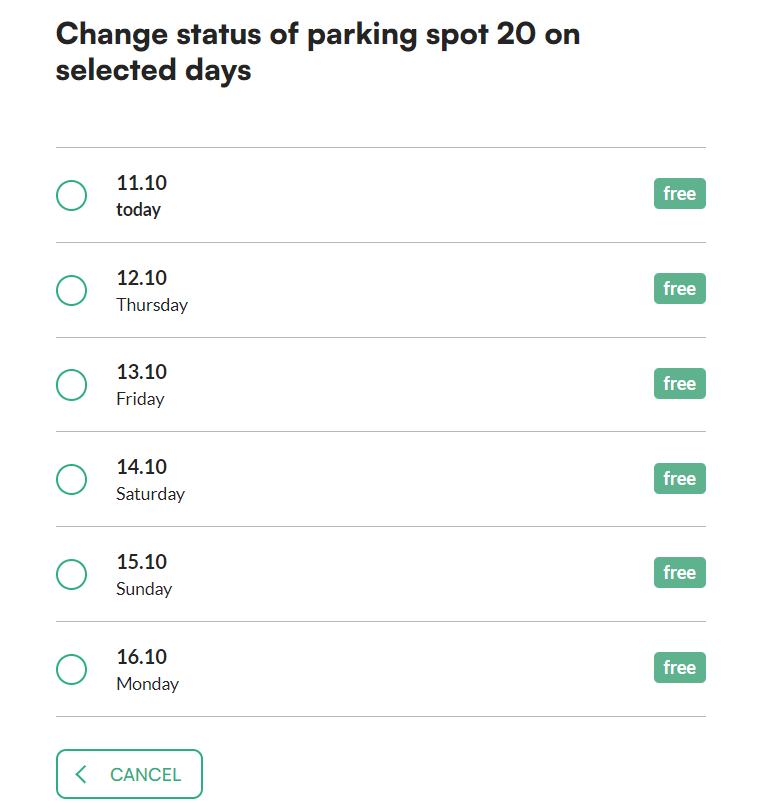
- Choose the days for which you want to change the status.
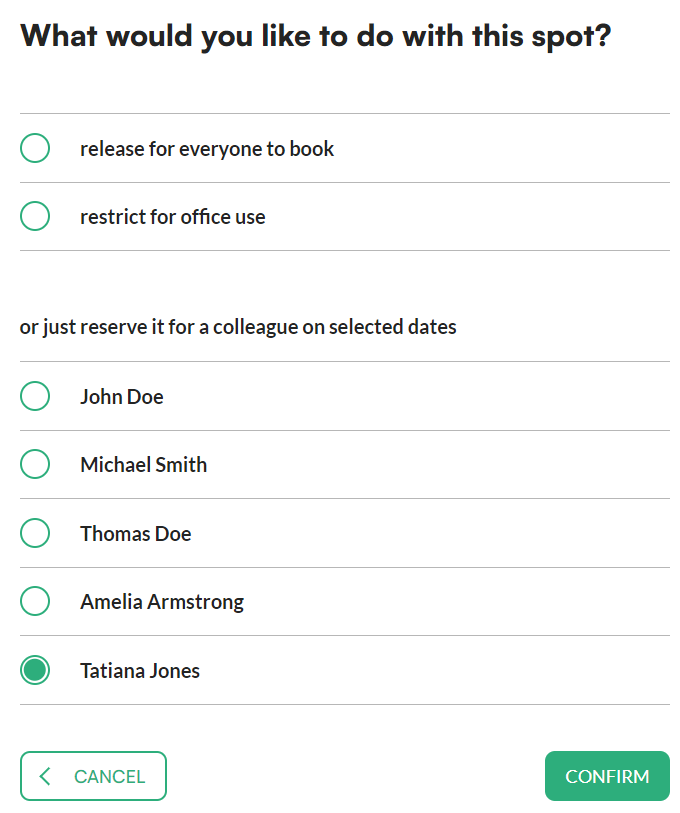
- Choose what to do with the spot in that period: release it so everyone can book it, restrict it for office use, or reserve it for a colleague.
- Click Confirm.
Frequently asked questions
What does the Reserved status mean?
The spot is reserved for the employee you choose from the dropdown. As a default status, this applies every day.
Can I change the status for just a few days?
Yes. Use Change status on selected dates, choose the days and the new status, and click Confirm. The default status stays unchanged.