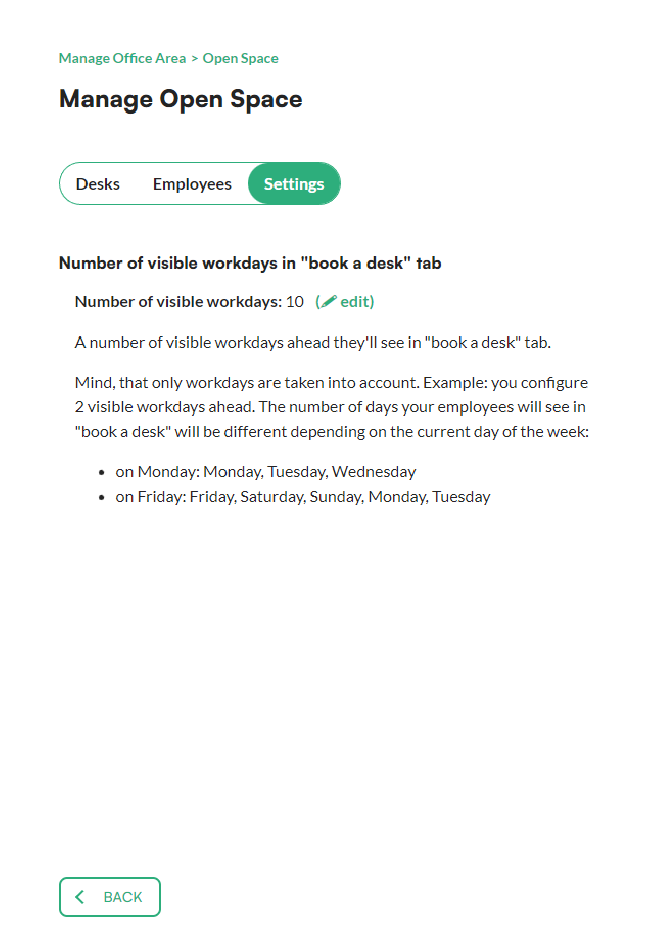
You can set how many days ahead employees can book desks, separately for each office zone. This number decides how many days are visible in the booking section.
Our clients usually set a low value in public zones, such as open spaces. In restricted zones the value varies, depending on how the office is organised.
Good to know: this setting is changed by administrators.
In short
- You set the number of days separately for each zone.
- You'll find the setting in preferences > manage office areas, on the settings tab of the zone.
- A low value usually works well in public zones.
How to set how many days ahead employees can book in a zone
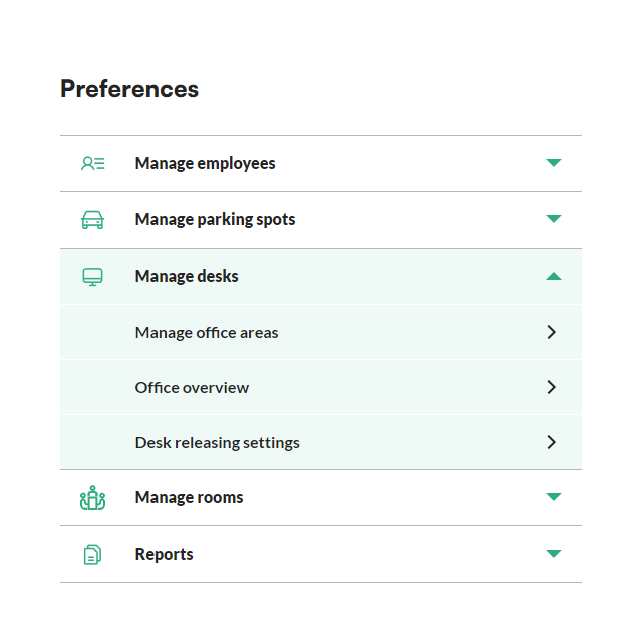
- Go to the preferences section in the menu.
- Unfold the manage desks menu and click manage office areas.
- Choose the office area you want to edit.
- Go to the settings tab.
- Click edit next to the number of visible workdays.
- Click set office area value and type in the new number of days.
- Confirm the changes with the change button.