A zone manager can change desk statuses in the zones they are assigned to manage. This way they help office managers organise the office.
Many companies give the zone manager role to team leaders, so they can organise their teams as they wish. Others give it to HR staff who manage guest visits and don't need access to the tools for organising the whole office.
Good to know: zone managers are assigned by administrators.
In short
- You assign a zone manager in preferences > manage office areas.
- You set this up separately for each zone.
- A zone manager can change desk statuses only in the zones they are assigned to.
How to assign a zone manager
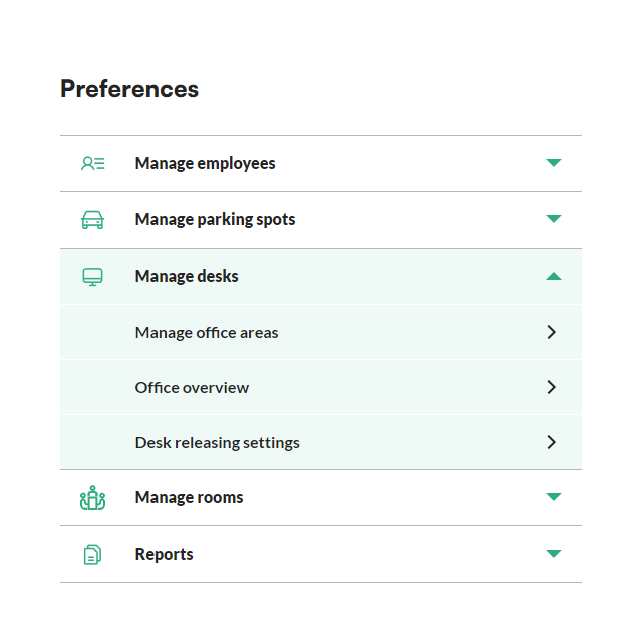
- Go to the preferences section in the menu.
- Unfold the manage desks menu and click manage office areas.
- Choose the office area you want to edit.
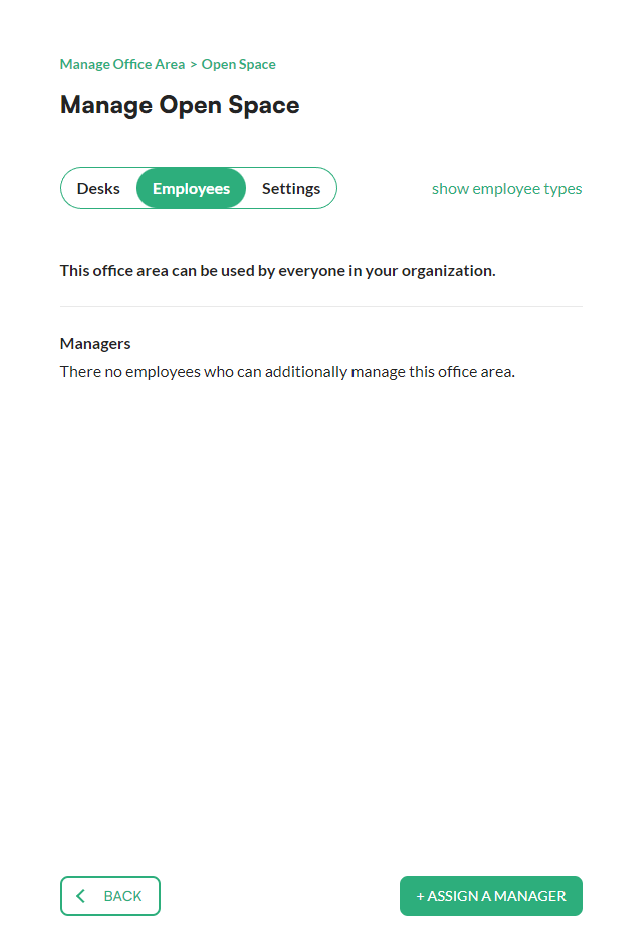
- Go to the employees tab.
- Click the +assign a manager button at the bottom of the screen.
- Choose the zone manager from the employee list.
- Confirm your choice with the +assign button at the bottom of the screen.