
As an admin, you can invite new employees to Tidaro. When you send an invitation, you enter the employee's name and email address and assign them to the right zones. The steps are the same for Parking and Office.
Good to know: only admins can invite new employees.
In short
- Go to preferences > manage employees > employees.
- Click invite an employee at the bottom.
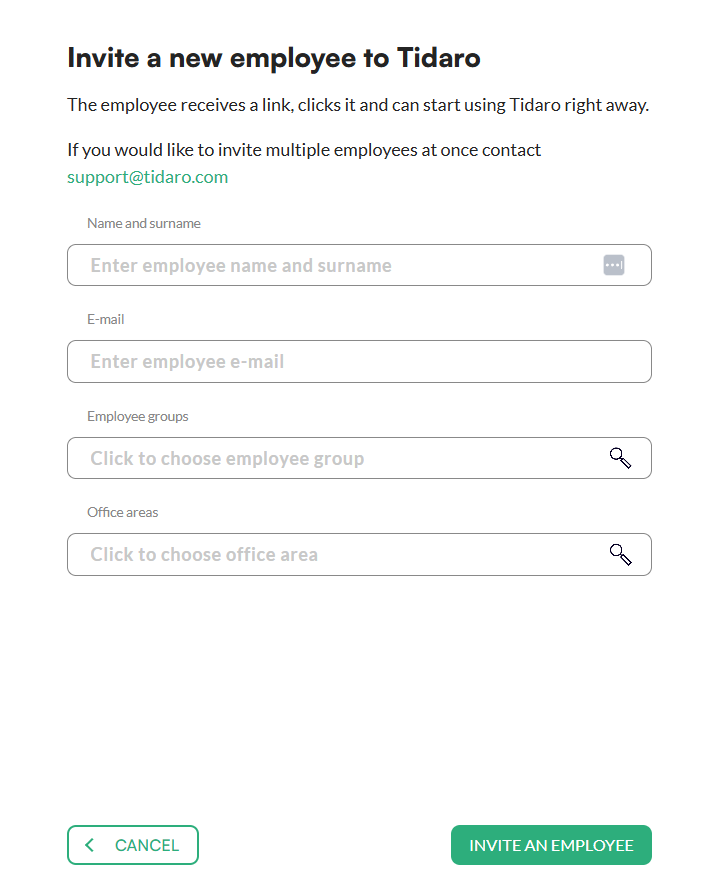
- Enter the name and email address and assign the employee to the proper zones.
- Confirm with invite an employee.
How to invite a new employee
Parking
- In the menu, go to the preferences section.
- Unfold the manage employees menu and click employees.
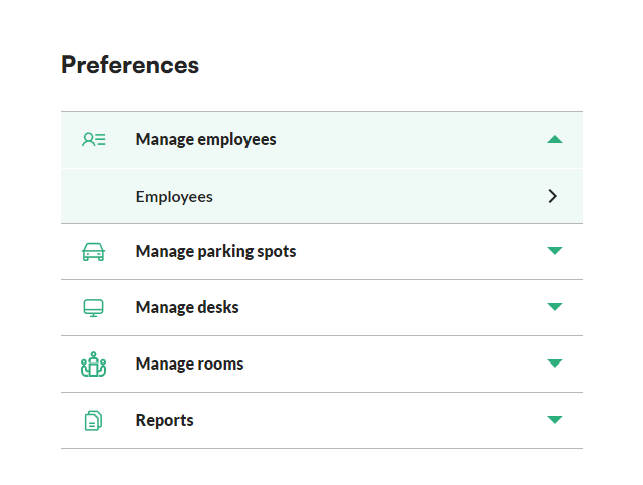
- Click the invite an employee button at the bottom.
- Fill in the name and email address.
- Assign the new employee to the proper zones.
- Confirm with the invite an employee button at the bottom.
Office
- In the menu, go to the preferences section.
- Unfold the manage employees menu and click employees.
- Click the invite an employee button at the bottom.
- Fill in the name and email address.
- Assign the new employee to the proper zones.
- Confirm with the invite an employee button at the bottom.