
If you have a permanent booking or have booked a parking spot for specific days and won't use it, you can release it. This lets other people book the spot.
Good to know: you can't undo a release yourself. If you want to get your spot back, contact your office administrator.
How to release a parking spot
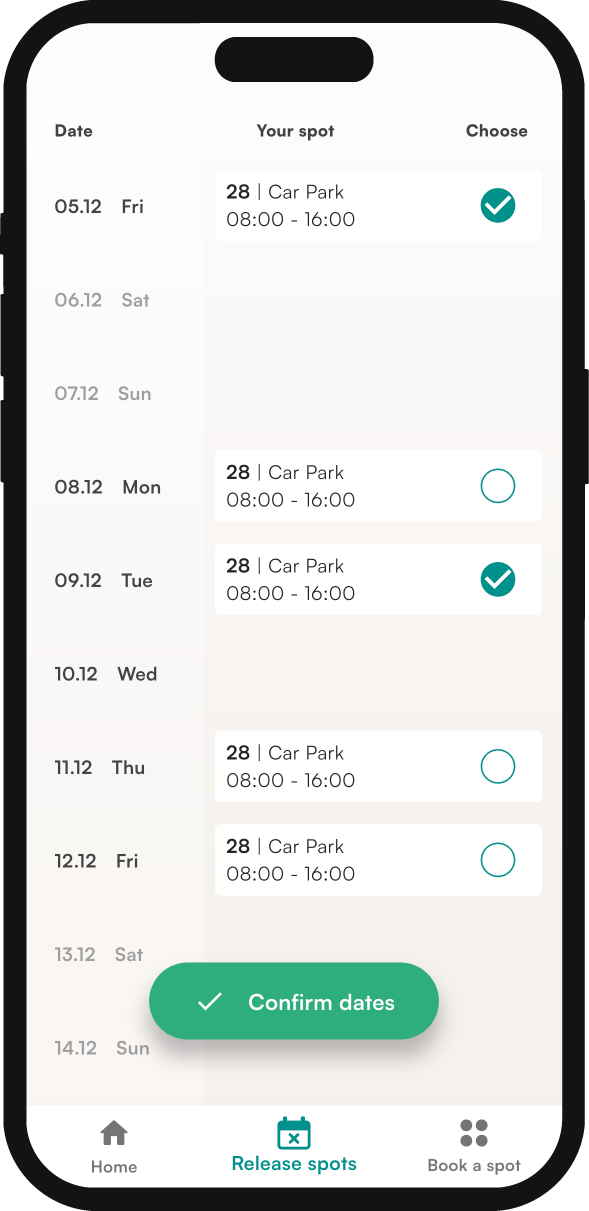
In the mobile app
- Go to the release spots tab.
- Select the days you want to release.
- Tap confirm dates at the bottom of the screen.
- Choose who gets the spot: select release for all so anyone can book it, or select a specific person from the list.
You can only hand over your spot to a specific person if your company has turned on spot sharing.
In the web app
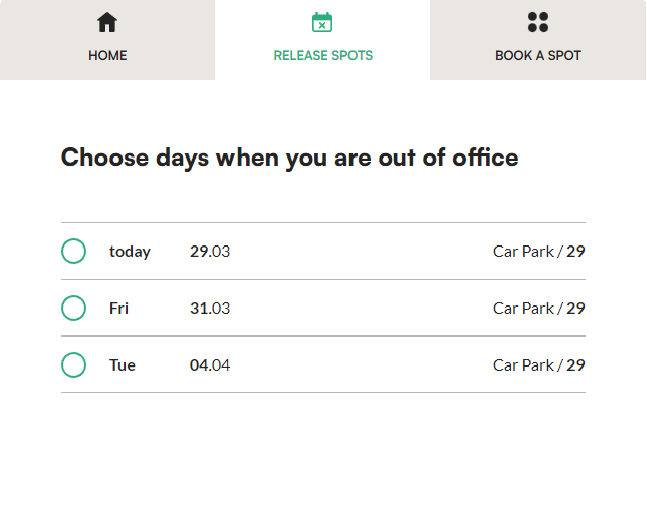
- In the menu, go to spots and open the release spots tab.
- In the list of your booked spots, click the green circles next to the ones you want to release.
- Click release at the bottom of the screen.
Frequently asked questions
Can I undo a release?
Not on your own. Contact your office administrator. You can also go to the book a spot tab and book a new spot, or the same one if nobody has booked it before you.
Can I give my spot to a specific person?
Yes, in the mobile app, if your company has turned on spot sharing. When you release the spot, select the person from the list.