
If another car is parked in the spot you booked, you can report it in the Tidaro app. You don't need to contact the parking lot managers: the app helps you find another spot.
This prevents a cascade effect, where more and more employees end up parking in someone else's spot because their own booked spot is taken.
In short
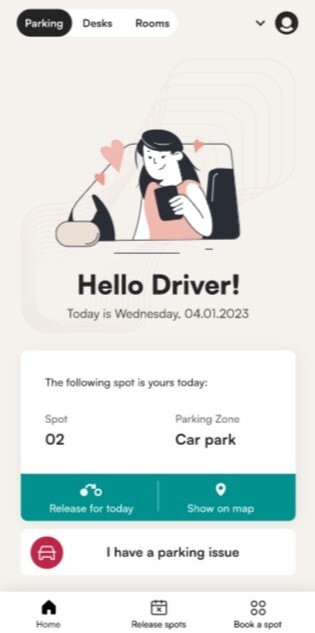
- On the home screen, click I have a parking issue and select Someone has parked in my spot.
- Type the license plate of the car parked in your spot.
- If that car has a spot booked for the day, the app offers you that spot, so you simply switch spots.
- If it has no booking, you can book another spot or contact the parking administrator.
When is this useful?
It is especially useful:
- in parking lots shared with other companies,
- in parking lots often visited by guests, who can take the wrong spot by mistake,
- in parking lots with a variable parking policy,
- when employees tend to take spots without booking them first.
How to report that someone parked in your spot
- Open the Tidaro app.
- On the home screen, click I have a parking issue.
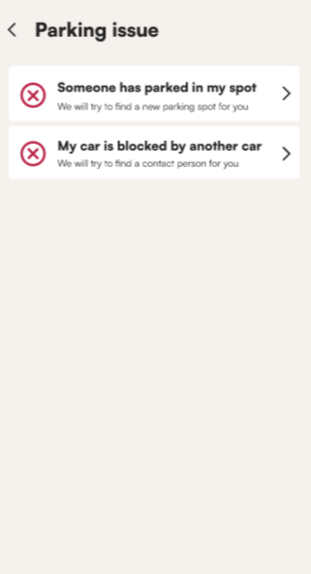
- Select Someone has parked in my spot.
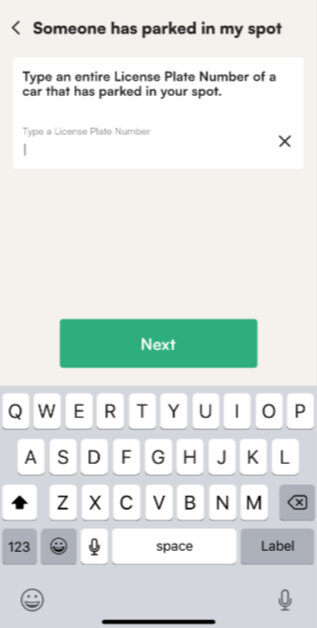
- Type the entire license plate of the car parked in your spot.
- Click Next.
What you see next depends on whether that car has a spot booked for the day.
What happens if that car has a booking for today?
The app shows you the spot booked for that car, so you can park there instead. You simply switch booked spots.
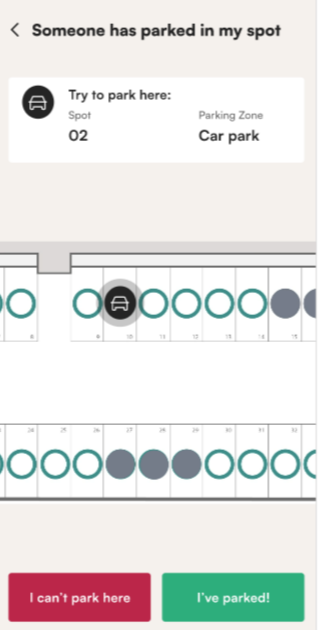
- If the spot is free and you park there, select I've parked.
- If that spot is also taken, click I can't park here.
What can I do if that car has no booking?
If the car has no spot booked for the day (for example, it belongs to a visitor who found a free spot), you will see this message:
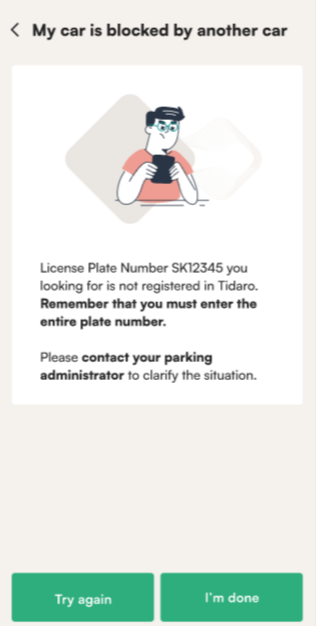
You can then:
- select Try again and type the license plate again, in case there was a typo,
- select Book another parking spot,
- contact the parking administrator to clarify the situation.
How to book another spot
After you select Book another parking spot, you will see this screen:
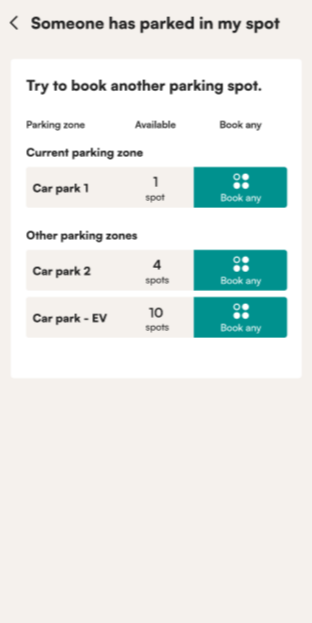
- Choose a different spot, or
- click Book any and Tidaro assigns you a spot from the pool of available spots.
Once you have the new booking, Tidaro automatically marks your original spot (the one taken by someone else) as restricted. On the parking lot map it is shown with a grey circle, so nobody else can book the occupied spot.
What happens if there are no free spots?
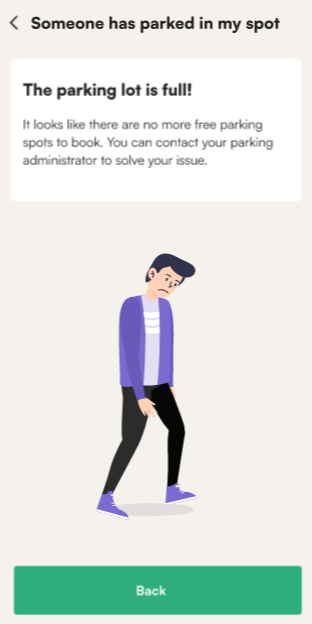
If there are no more free spots in the parking lot, the app shows this message:
Frequently asked questions
Do I need to contact the parking lot manager?
Not always. If the car in your spot has a booking, or there are free spots, you can solve the problem in the app. Contact the parking administrator if the car has no booking and you want to clarify the situation.
What happens to my original booking?
You can't have two bookings in the app. When you book another spot, your original spot is automatically marked as restricted.